

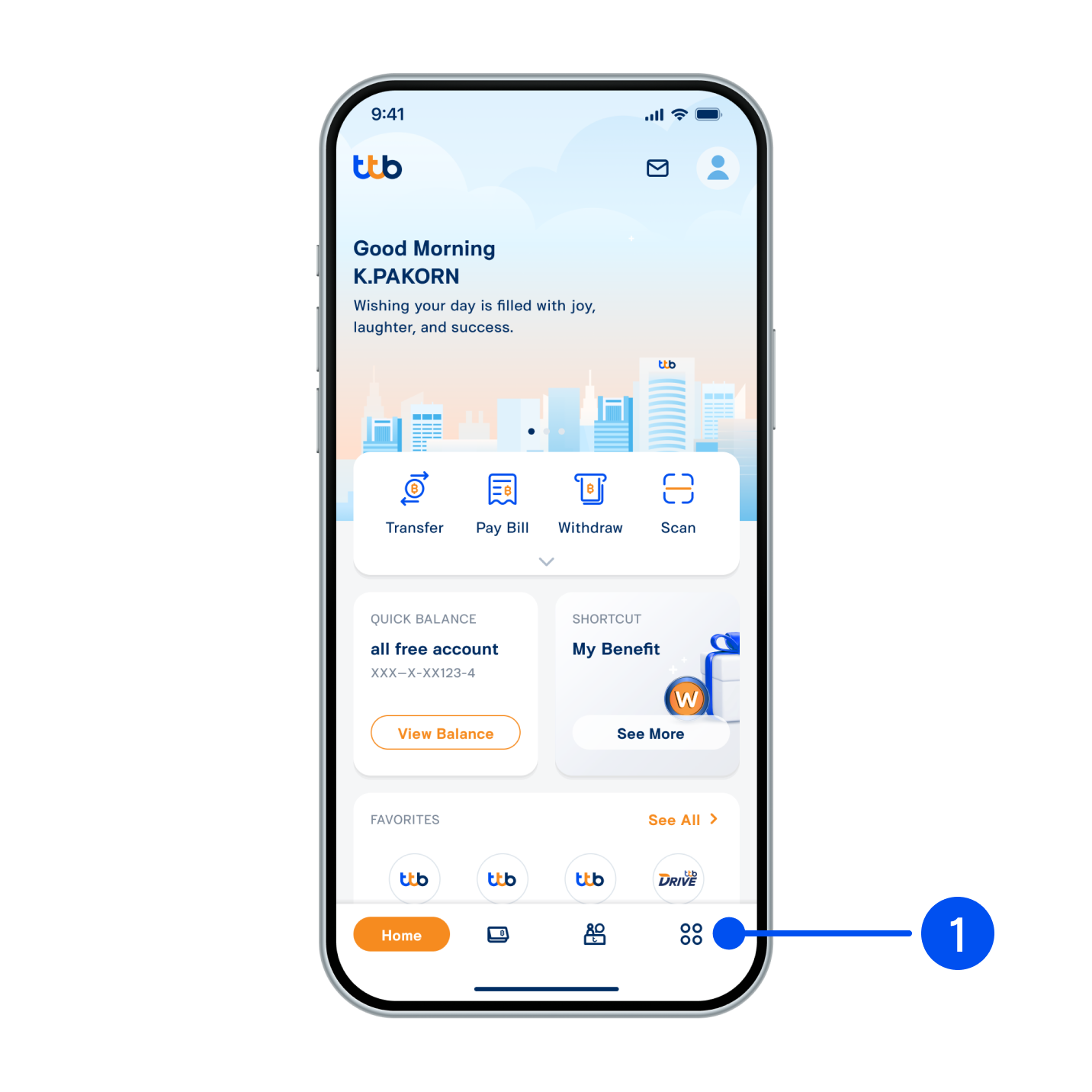
1. Select “More”, the 4th menu from the bottom.
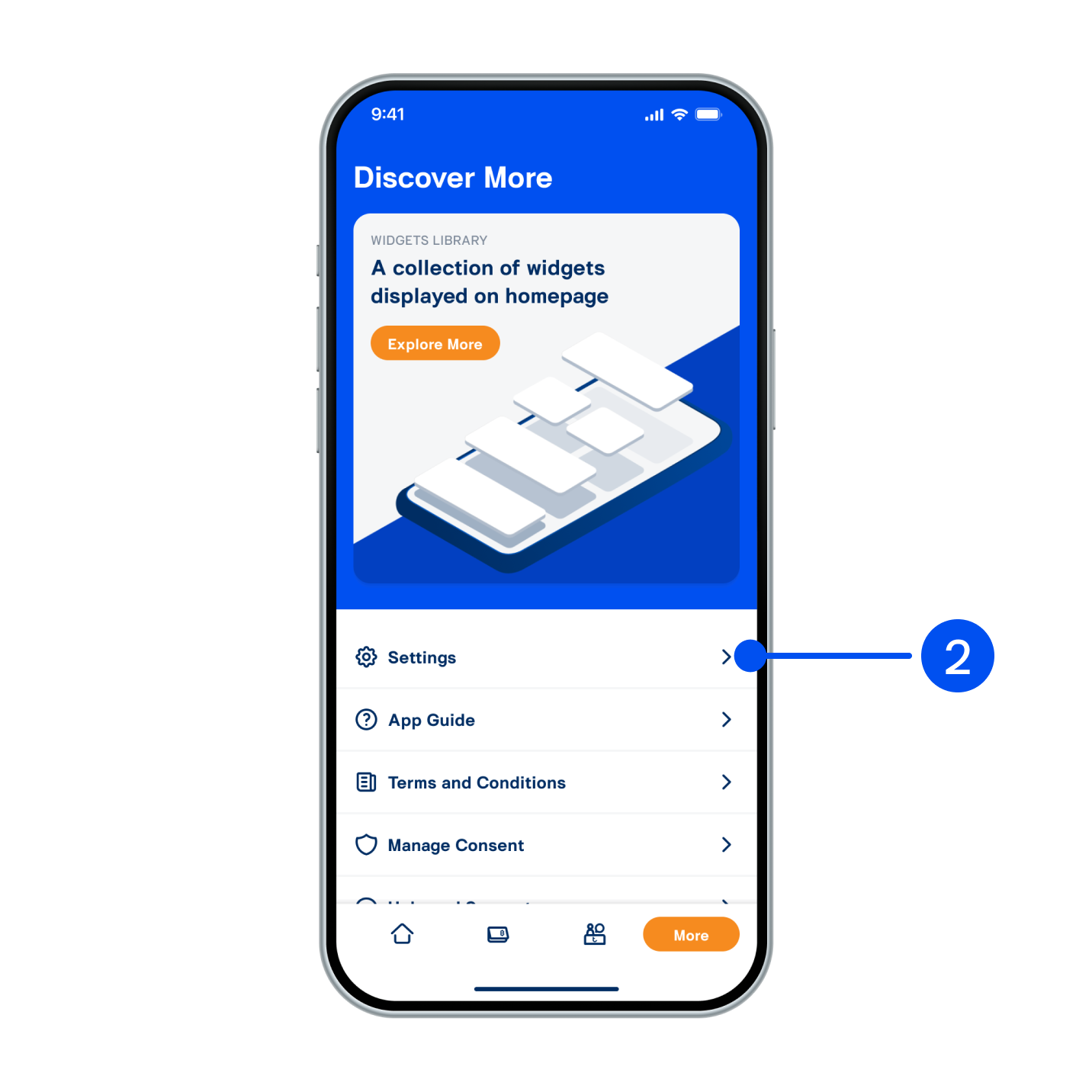
2. Select “Setting”.
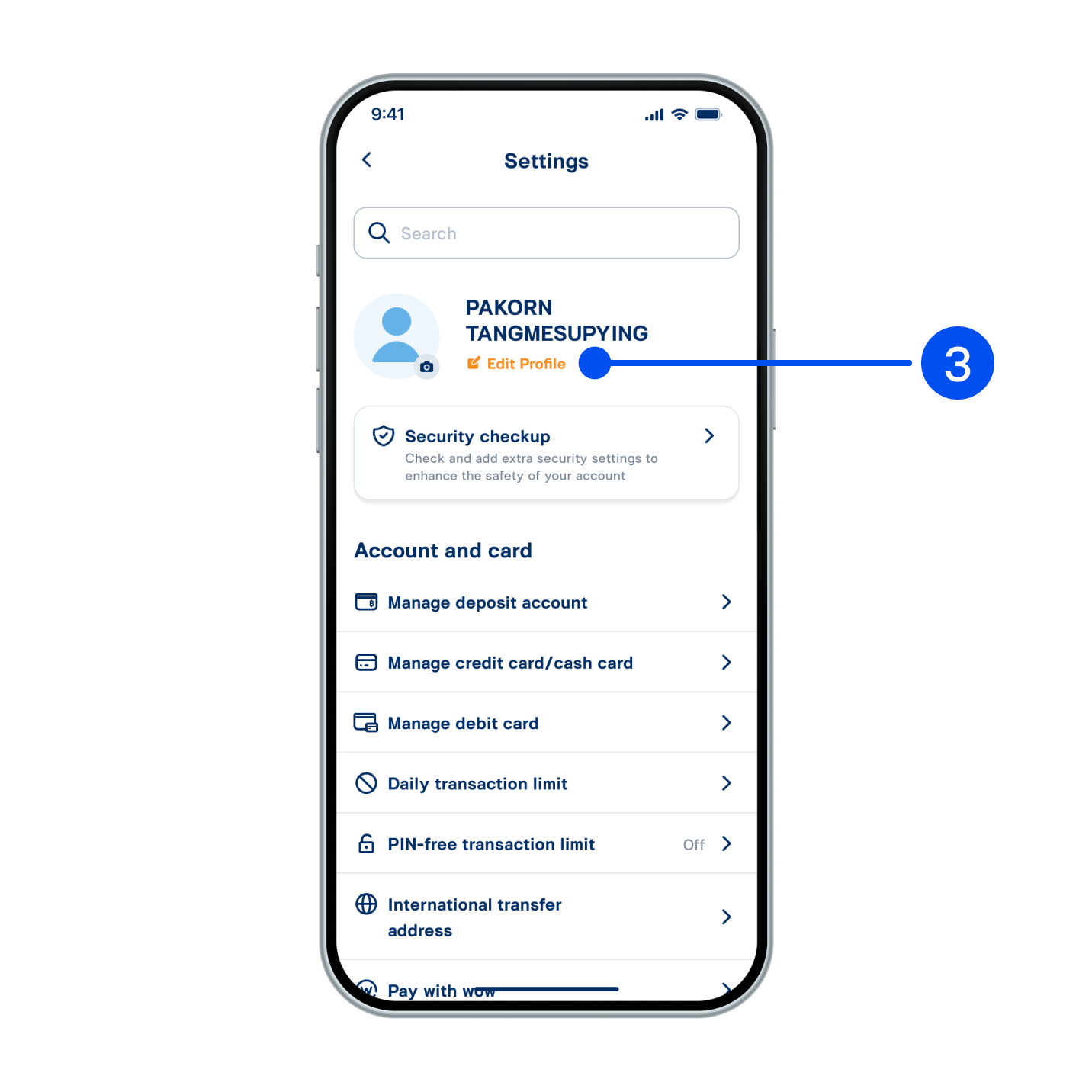
3. Under username, select “Edit Profile”.
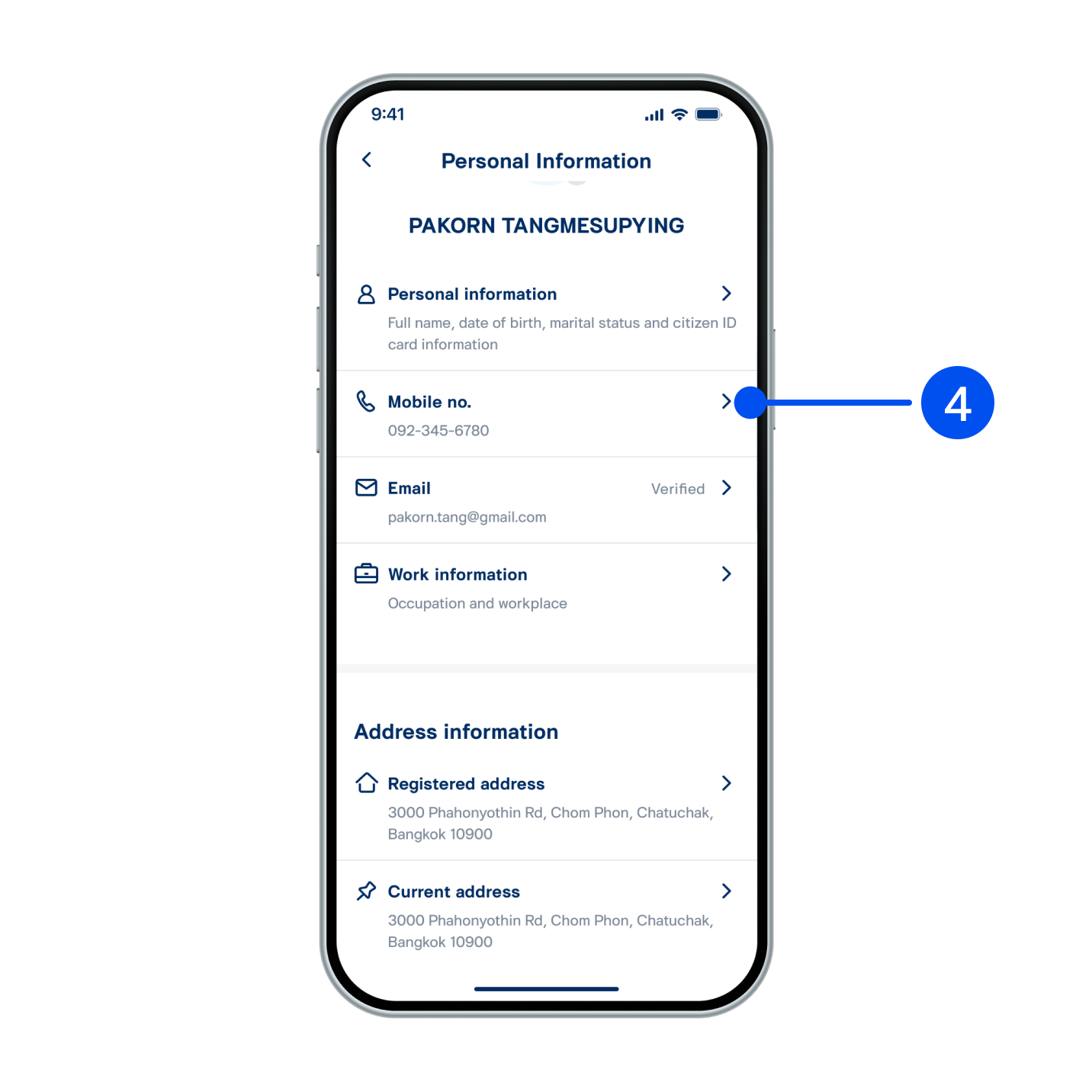
4. Select “Mobile no.”
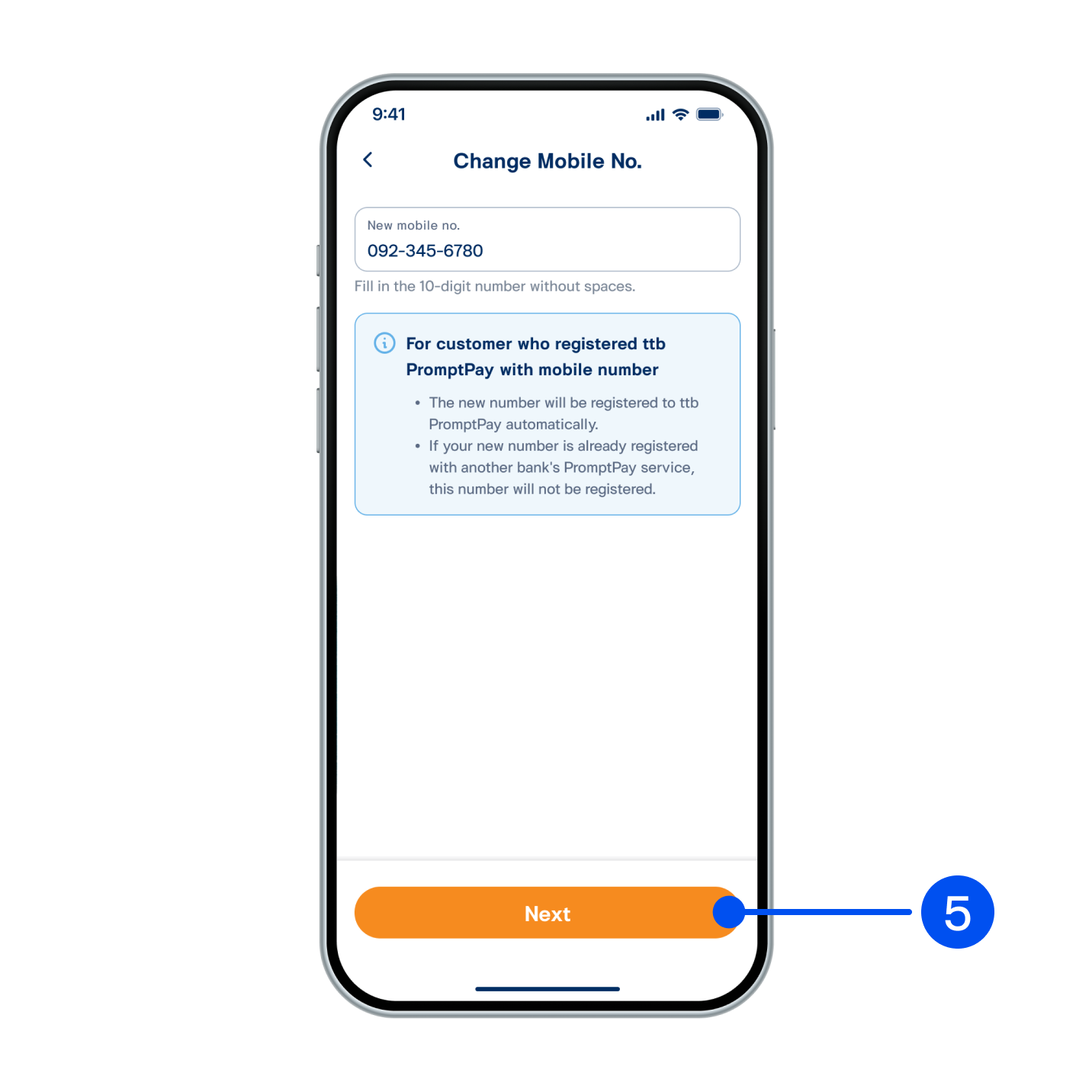
5. Edit New mobile no., then select “Next”.
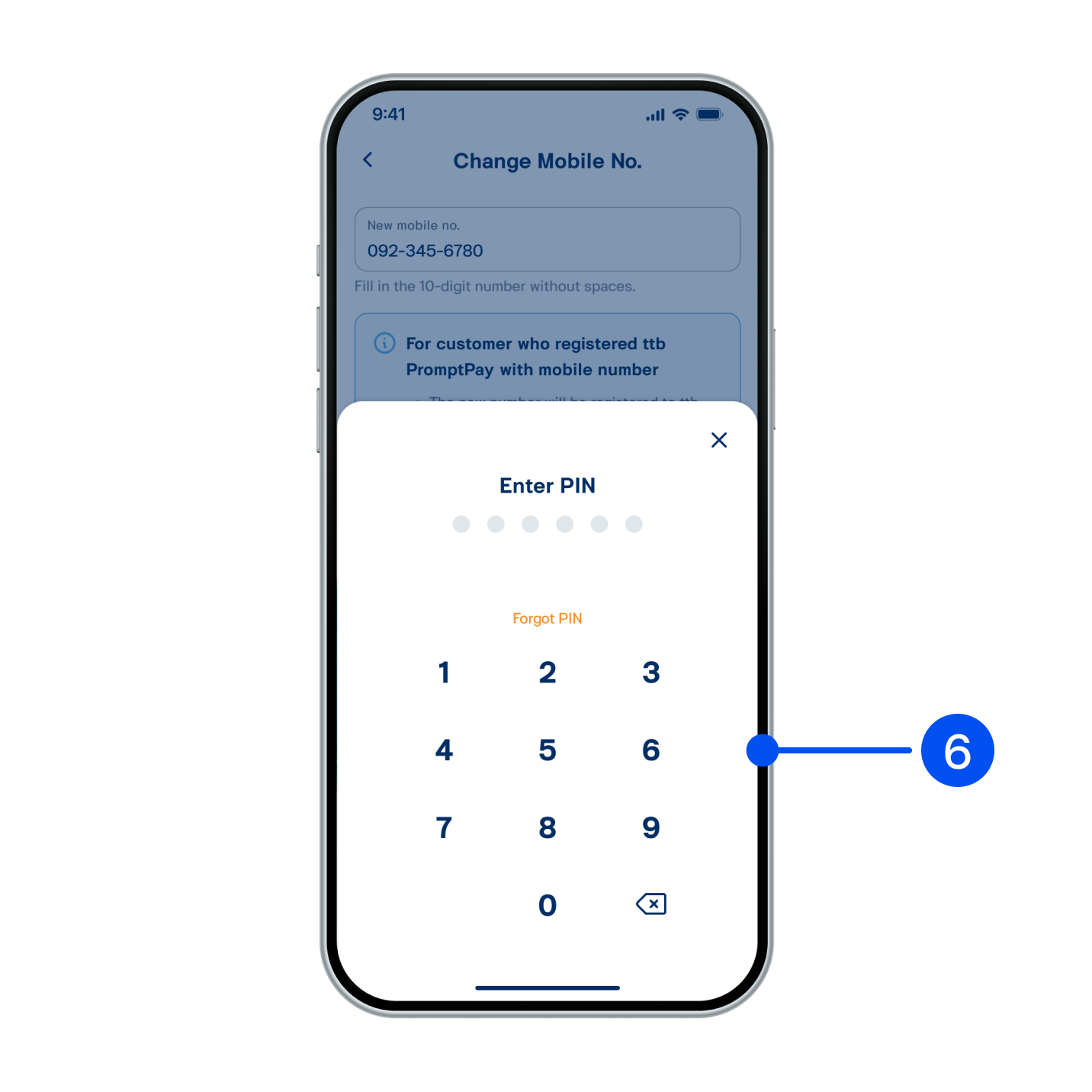
6. Enter PIN to confirm.
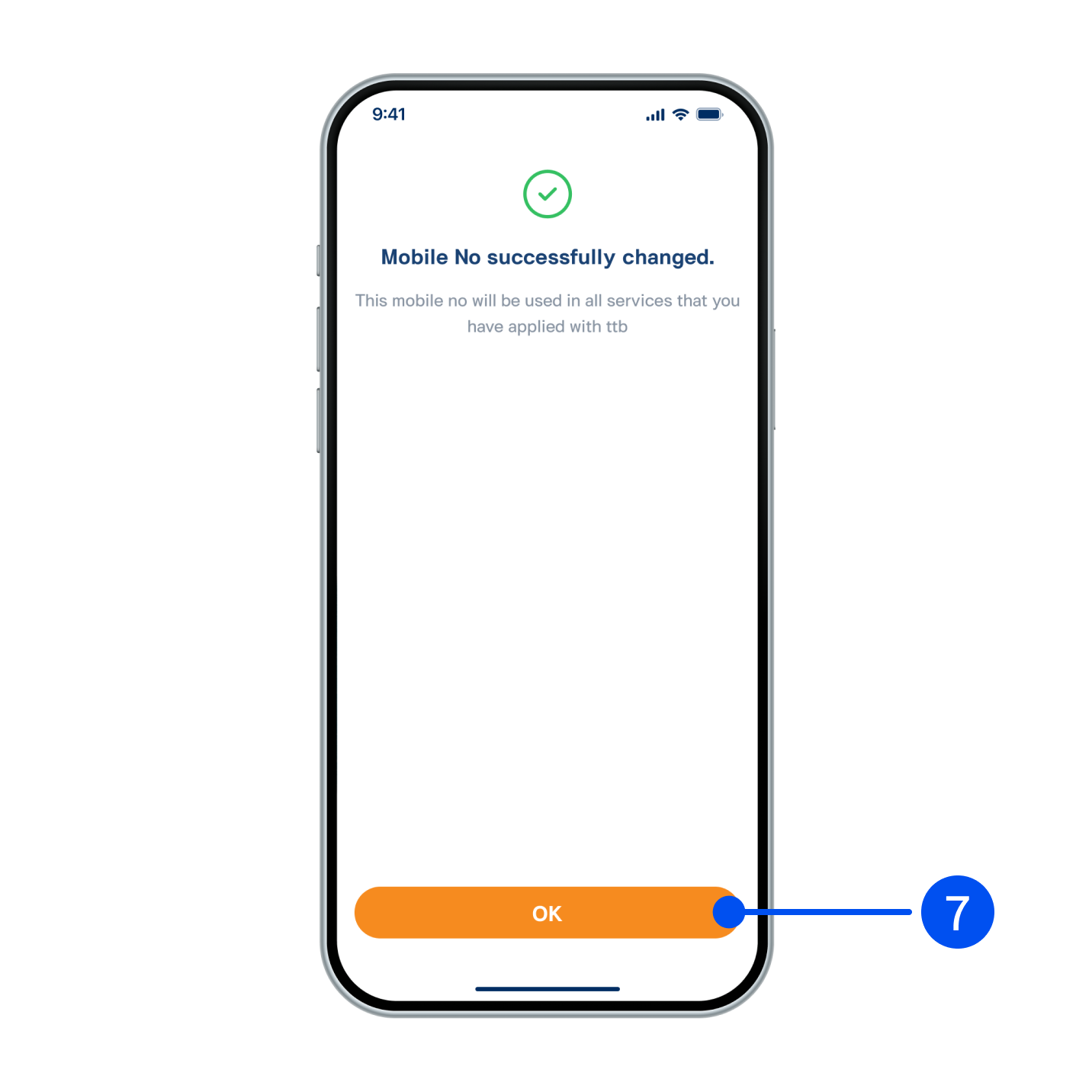
7. Mobile number has been edited successfully.
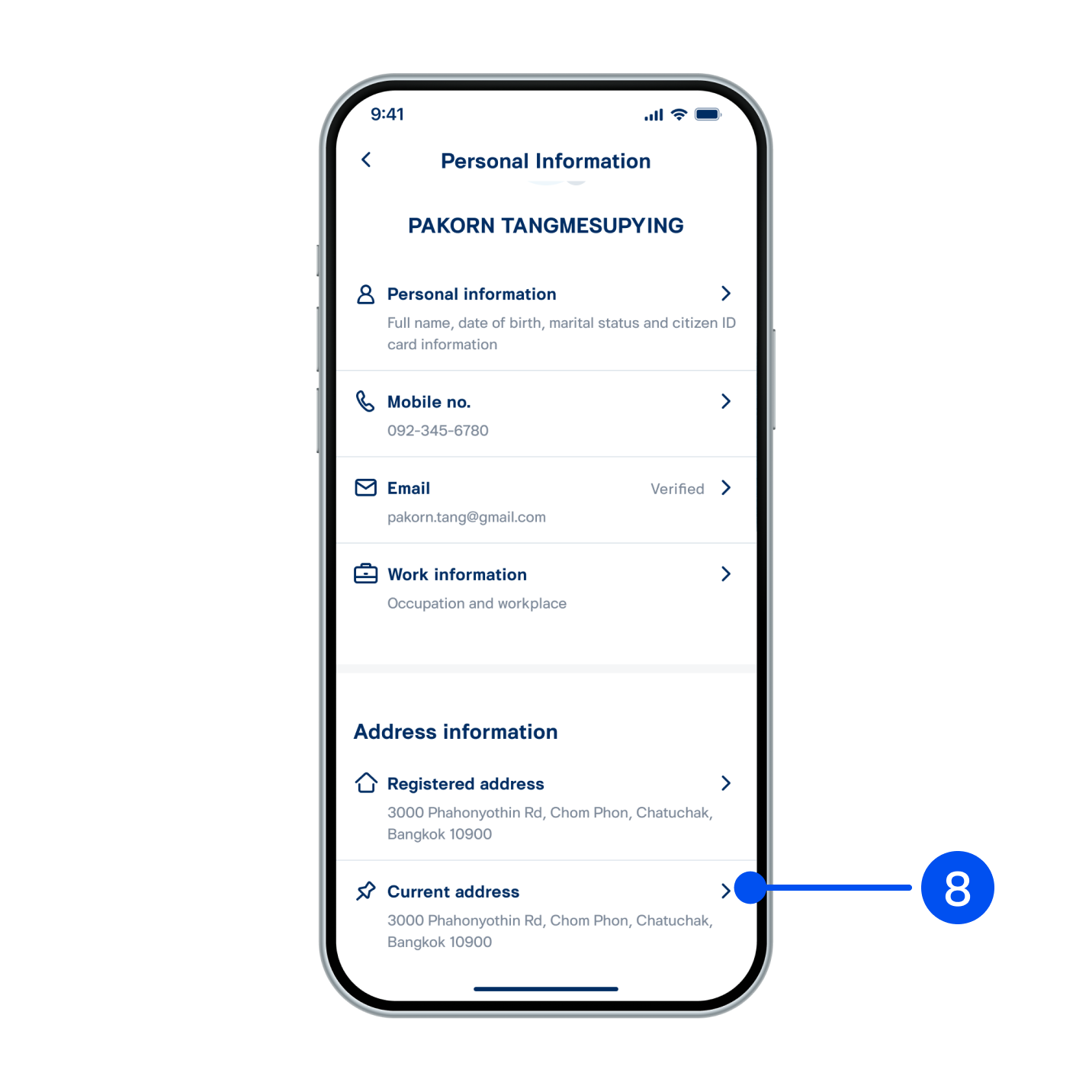
8. Select “Current Address”.
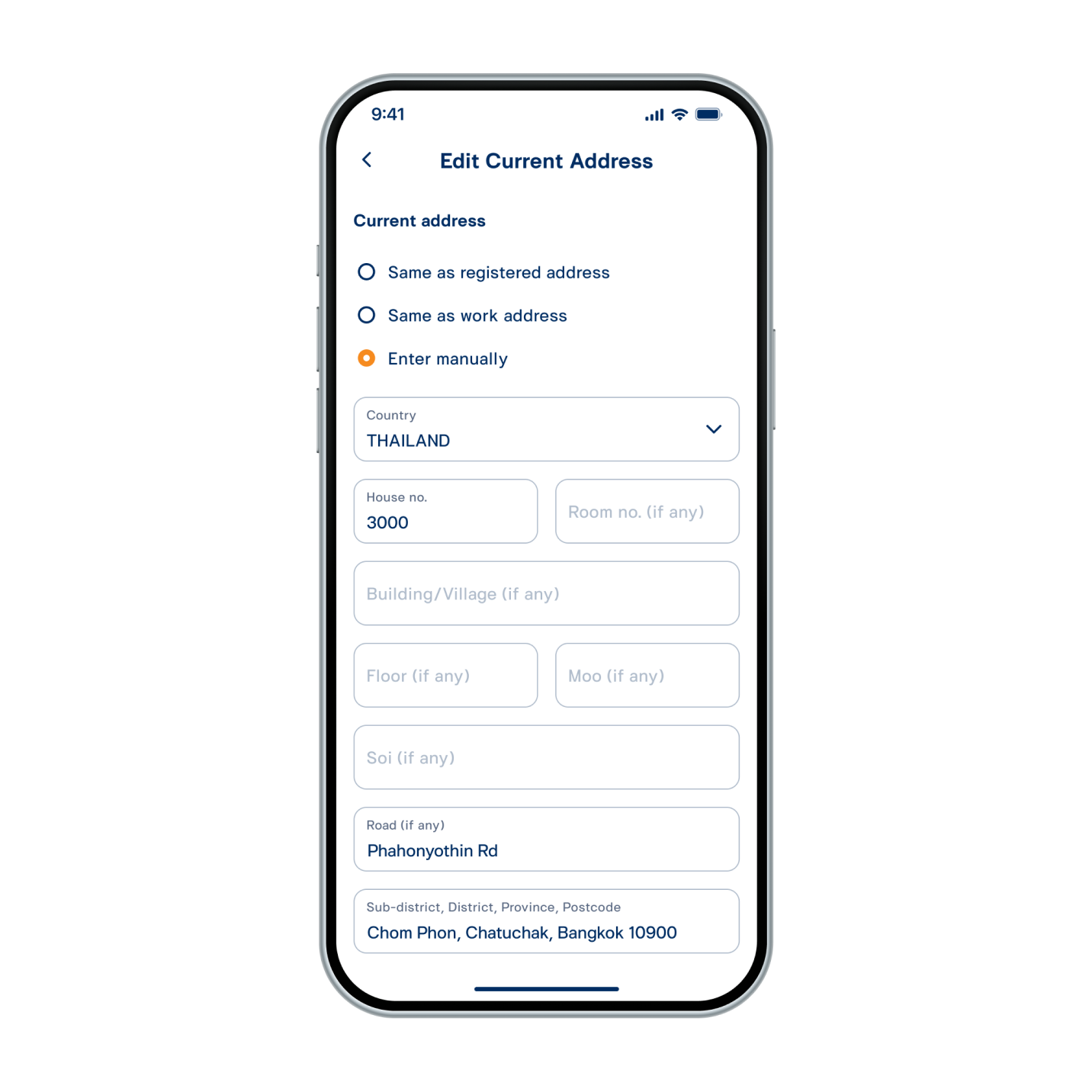
9. Edit address, then select “Next”.
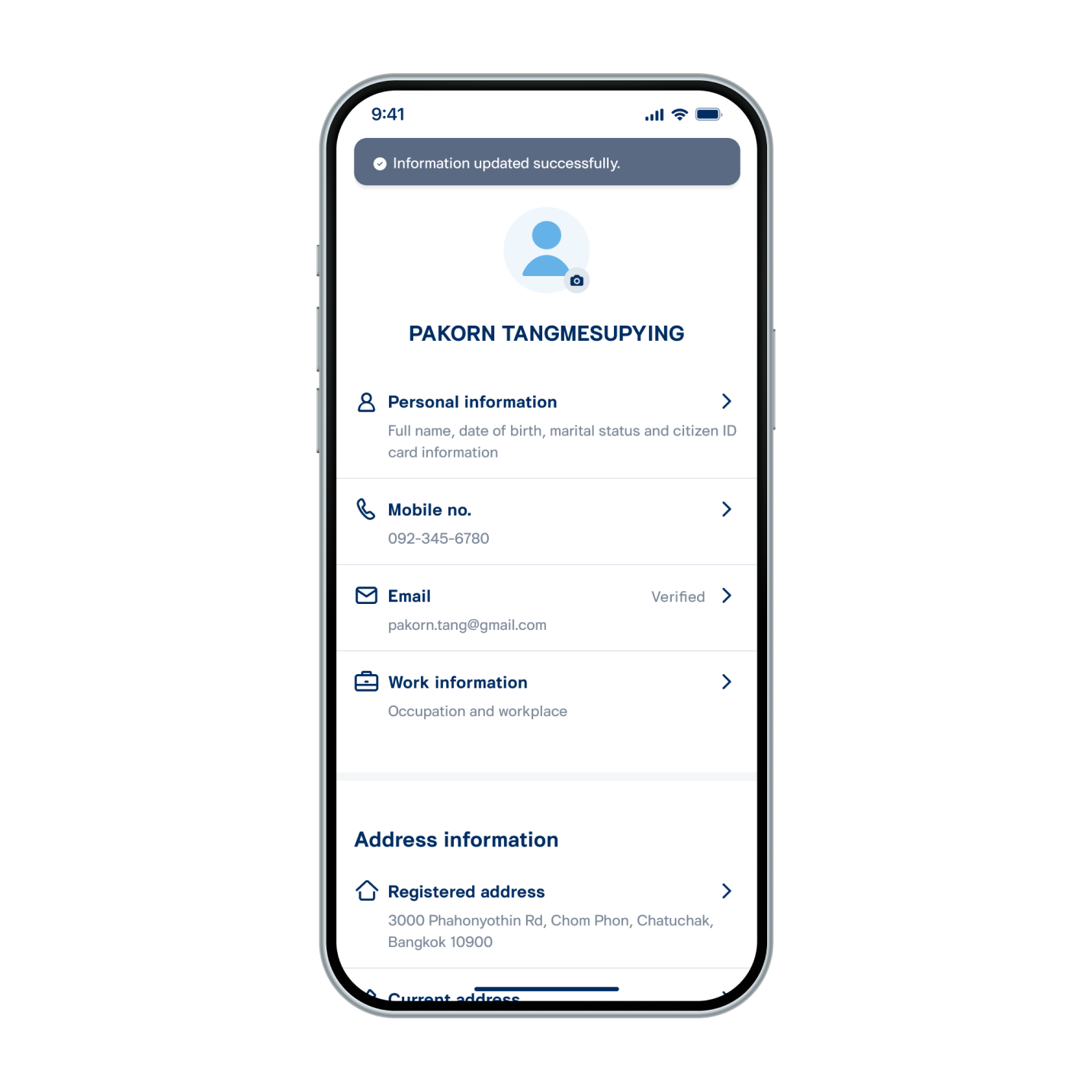
10. Address has been edited successfully.